Exit Strategies: When AI Makes Things Worse
We've invested six months and $200,000 into this AI feature. It would be crazy to abandon it now.
The feature has a 40% error rate and users hate it.
...so we're committed to making it work.
Table of Contents
- The Sunk Cost Fallacy (But With API Calls)
- Signs Your AI Feature Is Making Things Worse
- Graceful Degradation: When the API Goes Down
- The Kill Switch: Turning It Off Without Breaking Everything
- When NOT to Use AI (The Uncomfortable List)
- Building Systems That Survive AI Failure
- Explaining the Removal to Stakeholders
- The Exit Strategy Checklist
- The Hardest Lesson
- What You’ve Learned
Nobody talks about this part.
Every AI tutorial ends with “deploy to production.” Every conference talk ends with “and now it’s live!” Every case study ends with metrics going up and to the right.
Nobody shows you the feature that got quietly removed six months later. Nobody talks about the chatbot that had to be killed after it told a customer to microwave their laptop. Nobody mentions the “AI-powered” search that got replaced with Elasticsearch because it kept returning nonsense.
This chapter is about failure. Specifically, it’s about recognizing failure, admitting failure, and recovering from failure—before the failure becomes catastrophic.
The Sunk Cost Fallacy (But With API Calls)
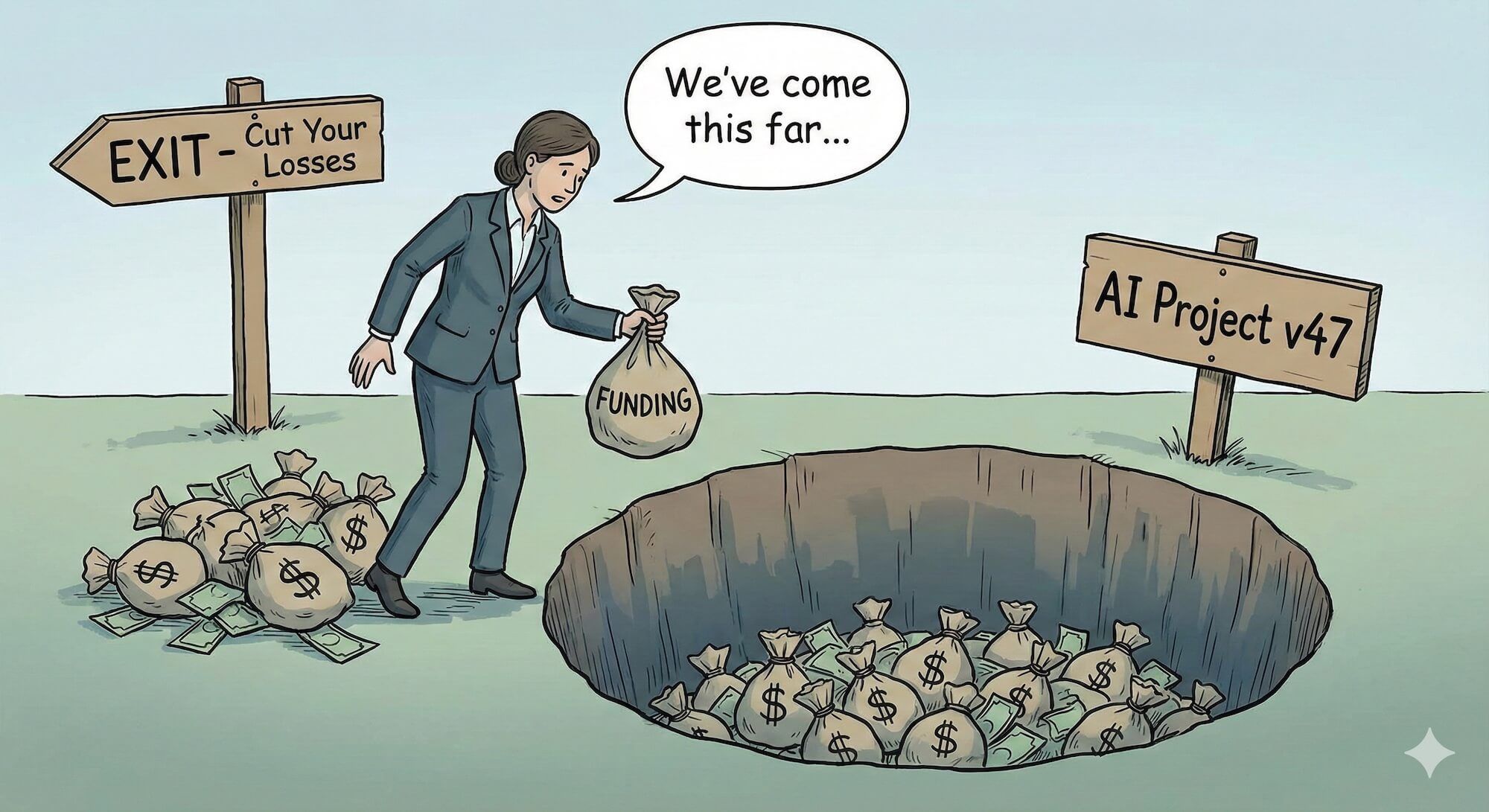
You’ve spent three months building an AI feature. You’ve burned through $15,000 in API costs during development. You’ve presented it to stakeholders twice. Your manager mentioned it in an all-hands.
And it doesn’t work.
Not “doesn’t work perfectly”—genuinely doesn’t work. Users hate it. Error rates are through the roof. The AI confidently provides wrong answers that real people are acting on.
The rational response: kill it.
The human response: “We’ve come this far, let’s just try one more approach.”
Money already spent is gone regardless of what you do next. The question isn’t “how do we justify what we’ve spent?” It’s “should we spend MORE?” A feature that’s cost $15,000 and doesn’t work will only cost more if you keep feeding it.
I’ve watched teams throw good money after bad for months because nobody wanted to admit the AI approach wasn’t working. The longer you wait, the harder it gets. The stakeholders who’ve been promised an AI feature don’t want to hear it’s being removed. The engineers who built it don’t want to see their work deleted.
But keeping a broken feature because you’ve invested in it? That’s how $15,000 becomes $50,000 becomes “we’ve restructured the team.”
Signs Your AI Feature Is Making Things Worse
How do you know when to pull the plug? Here are the warning signs:
1. Users Are Avoiding It
You built an AI-powered search. Users are copy-pasting queries into Google instead. That’s not a training problem—that’s users telling you the feature is worse than the alternative.
Watch for:
- Feature usage declining after initial curiosity
- Users finding workarounds
- Support tickets asking “how do I turn this off?”
- Power users explicitly avoiding the AI features
2. Error Rates Aren’t Improving
You’ve tweaked the prompts. You’ve added more context. You’ve tried three different models. The error rate is still 25%.
Some problems aren’t prompt engineering problems. Some problems are “AI is bad at this” problems. If you’ve made a genuine effort and the numbers aren’t moving, the numbers aren’t going to move.
// If you're writing code like this, it's time to reconsider
if (aiResponse.confidence < 0.3) {
  return fallbackToManualProcess();
}

// And 70% of responses have confidence < 0.3
// You don't have an AI feature, you have a fallback feature with extra steps
3. The Cost-Benefit Doesn’t Work
Your AI feature saves users 30 seconds per task. It costs $0.15 per use. Users perform this task twice a day. You have 10,000 users.
Math: $0.15 × 2 × 10,000 = $3,000/day = $90,000/month
Value delivered: 30 seconds × 2 × 10,000 = 166 hours/day saved
Is 166 hours of user time worth $90,000/month? Maybe. Maybe not. But you need to do this math honestly, not optimistically.
4. It’s Creating New Problems
The AI feature works, but:
- Users trust wrong answers and make bad decisions
- Support tickets have increased, not decreased
- The feature requires constant babysitting
- Edge cases keep causing public embarrassments
A feature that solves one problem while creating three new ones isn’t a feature—it’s technical debt with a marketing name.
5. The Team Is Exhausted
Your engineers have been firefighting this feature for months. Every week there’s a new crisis. Morale is tanking. Good people are updating their resumes.
Sometimes killing a feature is an act of mercy—for the team, not just the users.
A company I consulted for had an AI customer service chatbot. It was supposed to handle 50% of support tickets. In practice, it handled 20% correctly, escalated 30% to humans (adding friction), and gave bad advice to the remaining 50%.
They spent eight months trying to fix it. New models, new prompts, new training data. Nothing worked. Meanwhile, their human support team was burning out handling the escalations and cleaning up the chatbot’s messes.
The day they killed the chatbot, support ticket resolution time dropped 40%. Customer satisfaction went up. Support team morale recovered.
Eight months of “we’re almost there” had done more damage than admitting failure on month two would have.
Graceful Degradation: When the API Goes Down
Even good AI features fail sometimes. APIs have outages. Rate limits get hit. The model provider pushes a bad update. You need a plan for when the AI isn’t available.
The Fallback Hierarchy
Design your system with multiple layers of fallback:
async function searchWithFallbacks(query: string): Promise<SearchResult[]> {
  // Level 1: AI-powered semantic search
  try {
    const aiResults = await aiSearch(query);
    if (aiResults.length > 0) {
      return aiResults;
    }
  } catch (e) {
    logger.warn('AI search failed, falling back', { error: e });
  }

  // Level 2: Traditional full-text search
  try {
    const textResults = await elasticSearch(query);
    if (textResults.length > 0) {
      return textResults;
    }
  } catch (e) {
    logger.warn('Elastic search failed, falling back', { error: e });
  }

  // Level 3: Simple database query
  try {
    return await basicDatabaseSearch(query);
  } catch (e) {
    logger.error('All search methods failed', { error: e });
  }

  // Level 4: Graceful empty state
  return [];
}
Feature Flags for AI
Every AI feature should have a kill switch:
const featureFlags = {
  aiSearch: {
    enabled: true,
    fallbackOnly: false,    // Use only fallback, skip AI entirely
    percentRollout: 100,    // Percentage of users who get AI
    errorThreshold: 0.1,    // Auto-disable if error rate exceeds 10%
  }
};

async function search(query: string, userId: string): Promise<SearchResult[]> {
  const flags = featureFlags.aiSearch;

  // Check if AI is disabled
  if (!flags.enabled || flags.fallbackOnly) {
    return traditionalSearch(query);
  }

  // Check if user is in rollout
  if (!isInRollout(userId, flags.percentRollout)) {
    return traditionalSearch(query);
  }

  // Check error rate circuit breaker
  if (getRecentErrorRate('aiSearch') > flags.errorThreshold) {
    logger.warn('AI search auto-disabled due to error rate');
    return traditionalSearch(query);
  }

  return aiSearch(query);
}
Circuit Breakers
Don’t let a failing AI service take down your whole application:
class CircuitBreaker {
  private failures = 0;
  private lastFailure: Date | null = null;
  private state: 'closed' | 'open' | 'half-open' = 'closed';

  private readonly failureThreshold = 5;
  private readonly resetTimeout = 30000; // 30 seconds

  async execute<T>(fn: () => Promise<T>, fallback: () => Promise<T>): Promise<T> {
    if (this.state === 'open') {
      // Check if we should try again
      if (Date.now() - this.lastFailure!.getTime() > this.resetTimeout) {
        this.state = 'half-open';
      } else {
        return fallback();
      }
    }

    try {
      const result = await fn();
      this.onSuccess();
      return result;
    } catch (e) {
      this.onFailure();
      return fallback();
    }
  }

  private onSuccess() {
    this.failures = 0;
    this.state = 'closed';
  }

  private onFailure() {
    this.failures++;
    this.lastFailure = new Date();

    if (this.failures >= this.failureThreshold) {
      this.state = 'open';
    }
  }
}

// Usage
const aiCircuitBreaker = new CircuitBreaker();

async function smartSearch(query: string) {
  return aiCircuitBreaker.execute(
    () => aiPoweredSearch(query),
    () => traditionalSearch(query)
  );
}
The Kill Switch: Turning It Off Without Breaking Everything
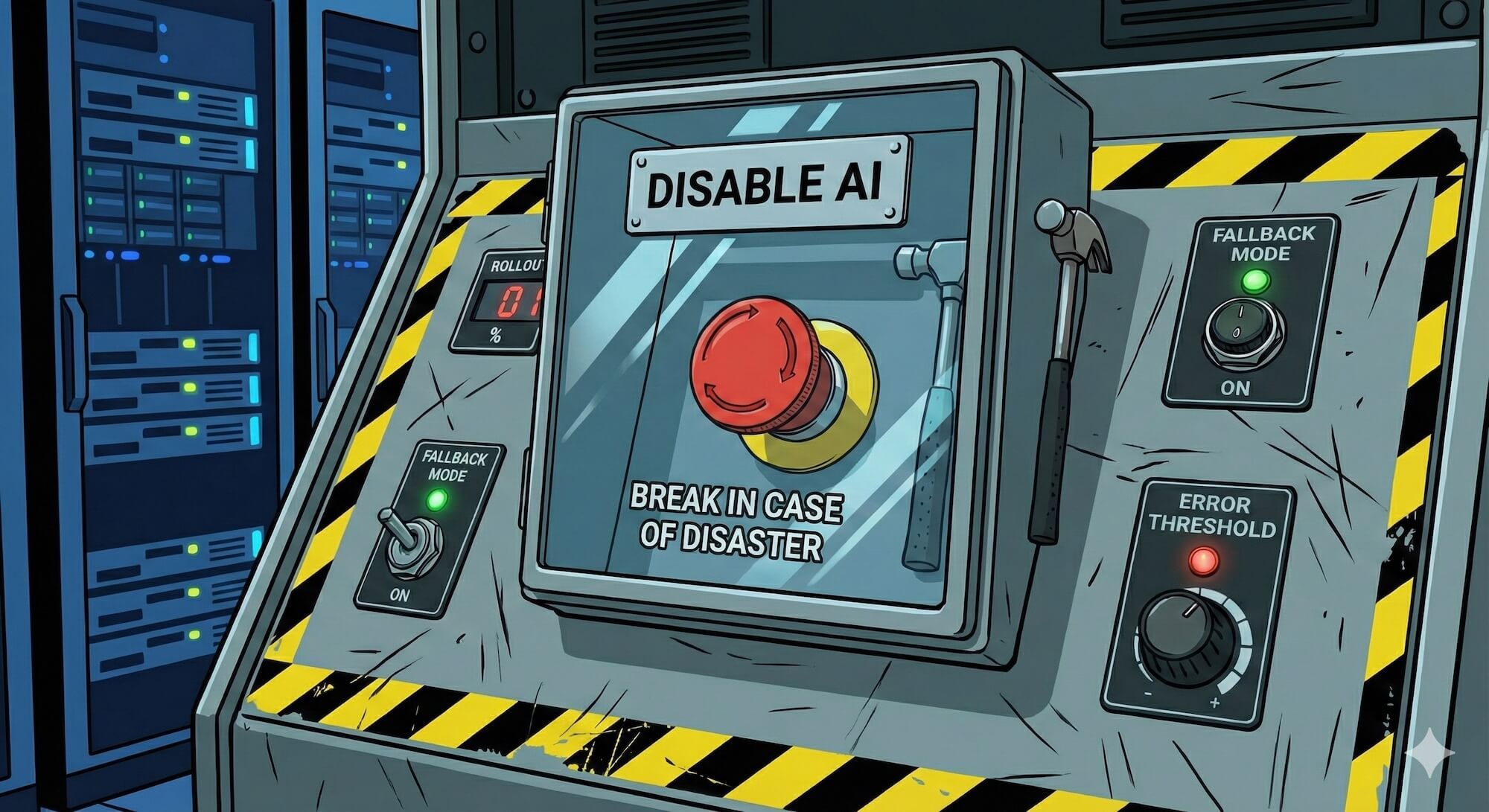
When you need to remove an AI feature entirely, do it cleanly.
The Phased Removal
Don’t just delete the code. Phase it out:
Phase 1: Shadow Mode (1-2 weeks)
- Keep AI running but don’t show results to users
- Compare AI results with fallback results
- Confirm fallback is actually working
Phase 2: Gradual Rollback (1-2 weeks)
- Reduce AI percentage from 100% → 50% → 10% → 0%
- Monitor metrics at each step
- Watch for unexpected dependencies
Phase 3: Code Removal (after stability)
- Remove AI code paths
- Clean up feature flags
- Archive, don’t delete, in case you need to analyze later
// Phase 1: Shadow mode
async function searchShadowMode(query: string) {
  // Run both in parallel
  const [aiResults, traditionalResults] = await Promise.all([
    aiSearch(query).catch(() => null),
    traditionalSearch(query)
  ]);

  // Log comparison for analysis
  if (aiResults) {
    logger.info('Shadow mode comparison', {
      query,
      aiResultCount: aiResults.length,
      traditionalResultCount: traditionalResults.length,
      overlap: calculateOverlap(aiResults, traditionalResults)
    });
  }

  // Always return traditional results
  return traditionalResults;
}
Data Preservation
Before you kill the feature, save what you learned:
interface AIFeaturePostmortem {
  featureName: string;
  launchDate: Date;
  removalDate: Date;

  // What we tried
  approaches: string[];
  modelsUsed: string[];
  totalCost: number;

  // Why it failed
  primaryFailureMode: string;
  errorRates: Record<string, number>;
  userFeedback: string[];

  // What we learned
  lessonsLearned: string[];
  wouldWorkIf: string[];  // Conditions that might make it viable in future
}
This isn’t bureaucracy—it’s preventing you from making the same mistake in two years when someone asks “why don’t we add AI to this?”
When NOT to Use AI (The Uncomfortable List)
Some problems shouldn’t have AI solutions. Not “can’t today” but “shouldn’t, probably ever.”
Safety-Critical Decisions
AI should not be the final decision-maker for:
- Medical diagnoses
- Legal determinations
- Financial advice (without human review)
- Safety system overrides
- Anything where being wrong kills people
“But the AI is 95% accurate!”
So are humans, and humans can be held accountable. Can you sue an LLM?
Deterministic Requirements
If the output MUST be correct every time:
- Financial calculations
- Legal document generation
- Compliance reporting
- Cryptographic operations
- Anything with audit requirements
AI is probabilistic. If you need deterministic, use deterministic tools.
When the Stakes Are Asymmetric
If being wrong is much worse than being right is good:
| Scenario | Right | Wrong |
|---|---|---|
| Spam filter | Slight convenience | Miss important email |
| Medical triage | Faster processing | Wrong priority = death |
| Content moderation | Removes bad content | Censors legitimate speech |
| Fraud detection | Catches fraud | Blocks legitimate customer |
The asymmetry matters. A 5% false positive rate in fraud detection means 5% of your legitimate customers are having a terrible experience.
When You Can’t Verify the Output
If the AI gives you an answer and you have no way to check if it’s right, you don’t have a feature—you have a liability.
// Dangerous: AI output used directly
const legalAdvice = await ai.complete("What are the tax implications of...");
showToUser(legalAdvice);  // 🚨 If this is wrong, you're in trouble

// Better: AI assists, human verifies
const draftAdvice = await ai.complete("What are the tax implications of...");
await sendToLawyer(draftAdvice); // Human reviews before user sees itIf you can’t build an automated check that verifies the AI’s output, you need a human in the loop. If you can’t afford a human in the loop, you can’t afford this feature.
When Traditional Solutions Work Fine
The most underrated reason not to use AI: you don’t need it.
- Regex works for pattern matching
- SQL works for data queries
- Rules engines work for business logic
- Search indexes work for text search
“AI-powered” isn’t automatically better. It’s often slower, more expensive, less reliable, and harder to debug. Use it when it provides genuine value, not because it sounds good in a press release.
Building Systems That Survive AI Failure
The best AI features are ones that can disappear without anyone noticing.
The Independence Principle
Your system should work without AI. AI should make it better, not make it possible.
// Bad: AI is load-bearing
class DocumentProcessor {
  async process(document: Document) {
    const classification = await ai.classify(document);  // If this fails?
    const extracted = await ai.extract(document);        // Everything breaks
    return this.save(classification, extracted);
  }
}

// Good: AI enhances, doesn't enable
class DocumentProcessor {
  async process(document: Document) {
    // Core functionality works without AI
    const basicMetadata = this.extractBasicMetadata(document);

    // AI enhancement is optional
    let enhancedMetadata = basicMetadata;
    try {
      const aiEnhancements = await ai.enhance(document);
      enhancedMetadata = { ...basicMetadata, ...aiEnhancements };
    } catch (e) {
      logger.warn('AI enhancement failed, using basic metadata');
    }

    return this.save(enhancedMetadata);
  }
}
The Audit Trail
When AI makes decisions, log everything:
interface AIDecision {
  timestamp: Date;
  feature: string;
  input: string;
  output: string;
  model: string;
  confidence: number;

  // For later analysis
  wasOverridden: boolean;
  overrideReason?: string;

  // For debugging
  promptTemplate: string;
  rawResponse: string;
}

async function makeAIDecision(input: string): Promise<Decision> {
  const response = await ai.complete(buildPrompt(input));

  const decision: AIDecision = {
    timestamp: new Date(),
    feature: 'document-classification',
    input: input.substring(0, 1000),  // Truncate for storage
    output: response.decision,
    model: 'claude-sonnet-4-20250514',
    confidence: response.confidence,
    wasOverridden: false,
    promptTemplate: 'classification-v2',
    rawResponse: JSON.stringify(response)
  };

  await auditLog.save(decision);

  return response;
}
This audit trail is invaluable when something goes wrong and you need to understand why.
The Human Override
Always provide a way for humans to override AI decisions:
interface AIRecommendation {
  id: string;
  recommendation: string;
  confidence: number;
  reasoning: string;
}

class DocumentWorkflow {
  async getRecommendation(doc: Document): Promise<AIRecommendation> {
    const rec = await ai.recommend(doc);
    return {
      id: generateId(),
      recommendation: rec.action,
      confidence: rec.confidence,
      reasoning: rec.explanation
    };
  }

  async applyRecommendation(recId: string, approved: boolean, overrideAction?: string) {
    const rec = await this.getRecommendation(recId);

    if (approved) {
      await this.apply(rec.recommendation);
      await this.logDecision(recId, 'approved');
    } else if (overrideAction) {
      await this.apply(overrideAction);
      await this.logDecision(recId, 'overridden', overrideAction);
    } else {
      await this.logDecision(recId, 'rejected');
    }
  }
}
Explaining the Removal to Stakeholders
This is the hard part. You built an AI feature. You announced an AI feature. Now you’re removing the AI feature.
Frame It Correctly
Don’t say: “The AI feature failed.”
Do say: “We learned that this particular problem is better solved with [alternative approach], which will be more reliable and cost-effective.”
Don’t say: “We wasted six months.”
Do say: “The development process taught us valuable lessons about where AI adds value in our product, which will inform our roadmap going forward.”
Have the Data
Come with specifics:
- Error rates and why they couldn’t be improved
- Cost analysis showing the ROI didn’t work
- User feedback showing preference for alternatives
- Comparison metrics between AI and non-AI approaches
Vague “it wasn’t working” invites pushback. Specific numbers don’t.
Propose the Alternative
Never just remove. Replace.
“We’re removing the AI search” → Bad
“We’re replacing AI search with an improved traditional search that’s 3x faster and handles 95% of queries that the AI struggled with” → Good
Own It
If you championed the AI feature, own the removal too. “I was wrong about this approach” is a credible statement that builds trust. Blaming the technology or the team destroys it.
Your credibility after a failed AI project depends on how you handle the failure, not whether you fail. Teams that admit mistakes, learn from them, and move on maintain credibility. Teams that deny reality, blame others, and double down lose it forever.
The Exit Strategy Checklist
Before you pull the trigger on removing an AI feature:
- Documented failure: Do you have clear evidence it’s not working?
- Fallback ready: Is the alternative solution built and tested?
- Phased plan: Can you roll back gradually, not all at once?
- Stakeholder prep: Have you prepared the narrative?
- Data preserved: Have you saved learnings for future reference?
- Team alignment: Does the team understand and agree with the decision?
- Rollback plan: Can you reverse the removal if somehow it makes things worse?
The Hardest Lesson
Here’s what nobody tells you when you start building AI features: most of them won’t work.
Not because you’re bad at this. Not because AI is bad. But because the gap between “impressive demo” and “reliable production system” is enormous, and most problems fall into that gap.
The teams that succeed with AI aren’t the ones that never fail. They’re the ones that fail fast, learn quickly, and have the courage to kill features that aren’t working.
That courage is rare. Cultivate it.
Because the only thing worse than building a failed AI feature is keeping a failed AI feature running because nobody had the guts to turn it off.
What You’ve Learned
After this chapter, you should be able to:
- Recognize the signs that an AI feature is failing
- Build systems with graceful degradation and kill switches
- Know when NOT to use AI in the first place
- Remove AI features without breaking your system
- Have honest conversations with stakeholders about AI failures
- Preserve learnings from failed experiments
The goal isn’t to never fail. The goal is to fail intelligently, recover gracefully, and make sure each failure teaches you something worth knowing.
Now go build something. And if it doesn’t work, you know what to do.